Packing fat jar with Kotlin Gradle DSL script
First, let’s get started by creating a new kotlin(java the same) project. Just select the Gradle template tab and check Kotlin DSL build script. By the way, if you just want a very simple try, just choose whatever you want Additional Libraries and Frameworks, and just keep the default package configuration.
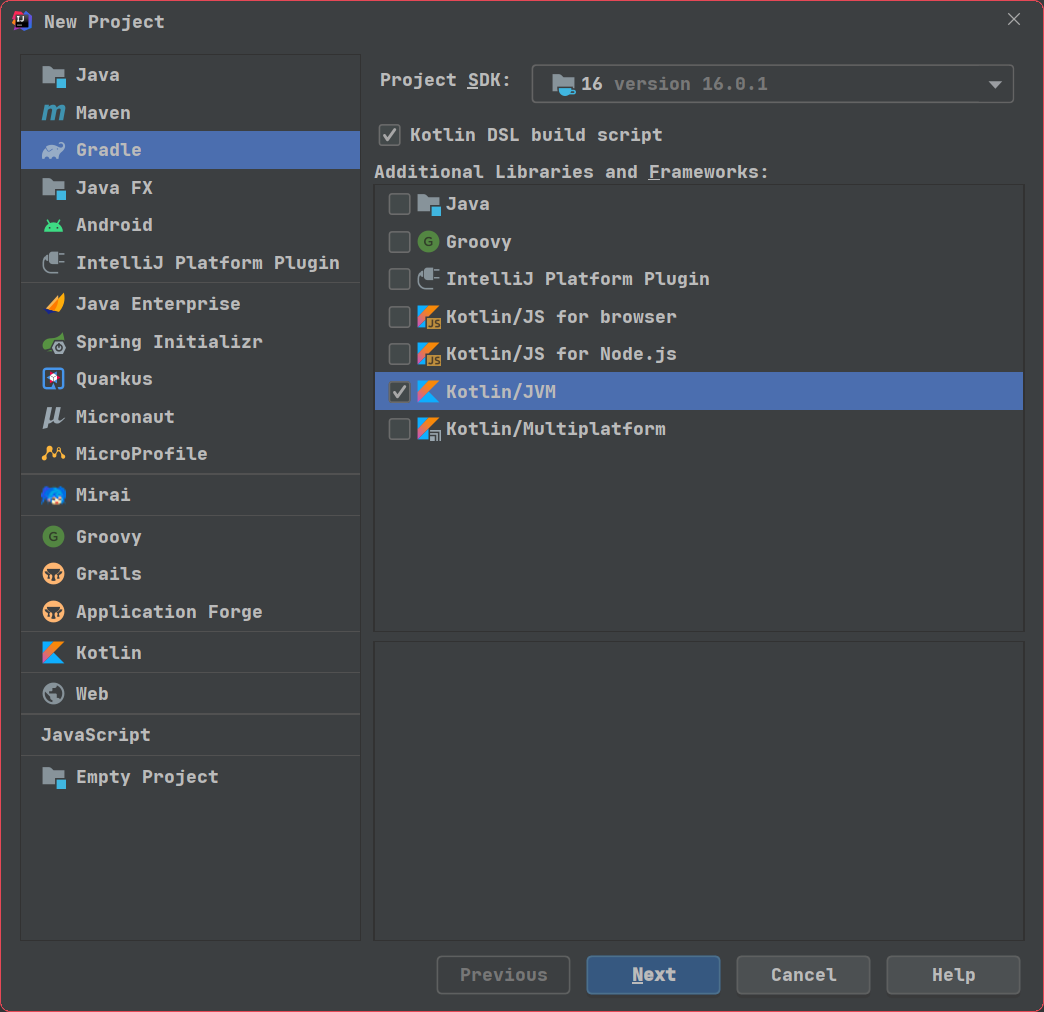
As you can see, our project has been successfully initiated by the default way. And a simple HelloWorld kotlin file has been created.
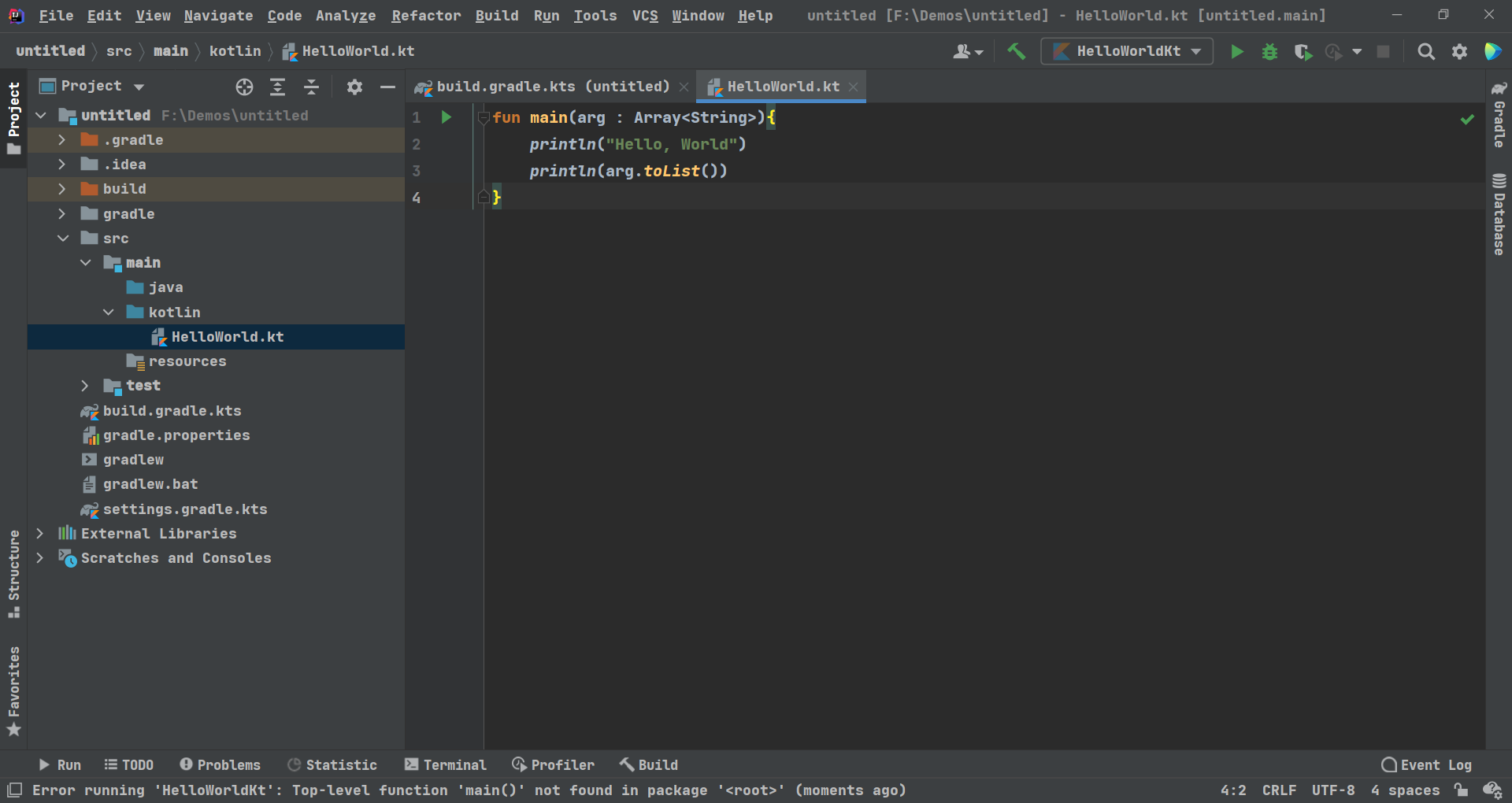
It’s time to release our HelloWorld project to people!
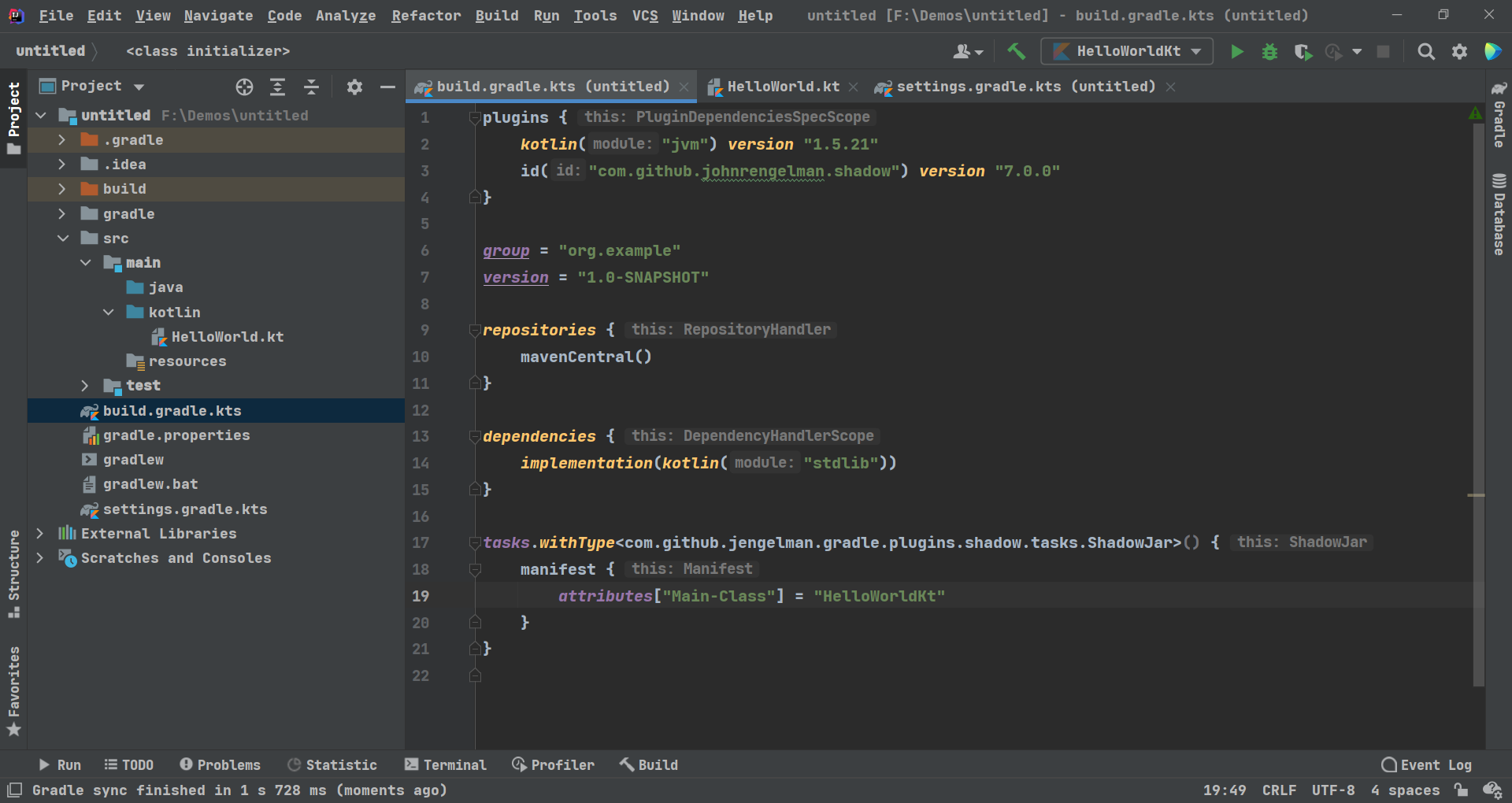
All our work based on the plugin shadow, so let’s install it:
plugins {
    kotlin("jvm") version "1.5.21"
    id("com.github.johnrengelman.shadow") version "7.0.0" //you can modify the version here to the latest
}
The last configuration item is, append there’s code to the end of the script file:
tasks.withType<com.github.jengelman.gradle.plugins.shadow.tasks.ShadowJar>() {
    manifest {
        attributes["Main-Class"] = "LauncherKt" //you must modify here to your own main class
                                                //note: if you are using kotlin like me, don't forget to
                                                //append "Kt" as a suffix of the class name
    }
}
This is the final result of the jobs above, now we can start making our fat jar.
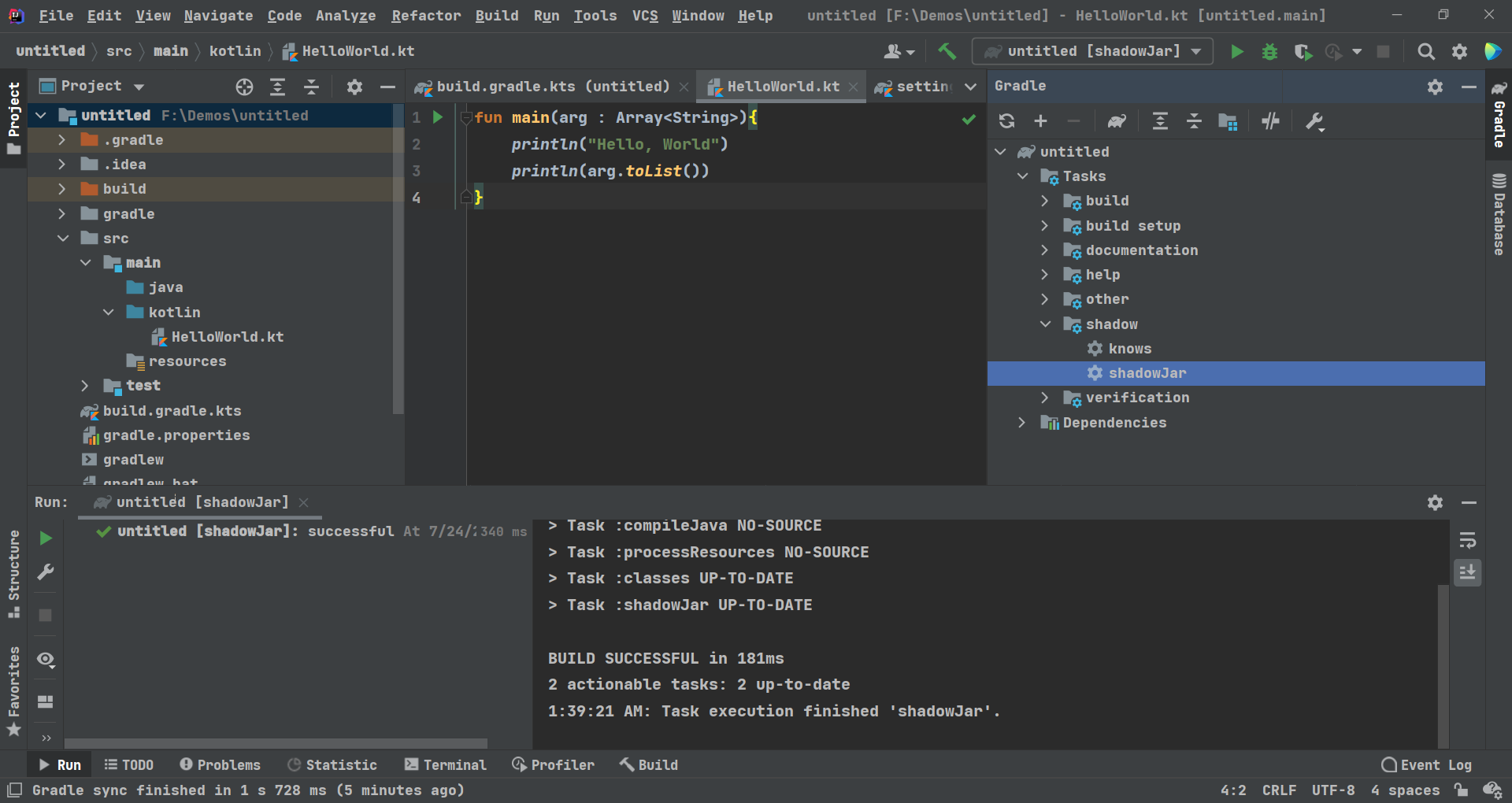
Check out the sidebar right side, you will found that there’s a shadow section in the Gradle task list, right-click the section of shadowJar, and just waiting for the process to run out.
It’s time to gain our reward, turn into <your project directory>/build/lib, have a look at the jar with -all suffix---that’s what we exactly need to.
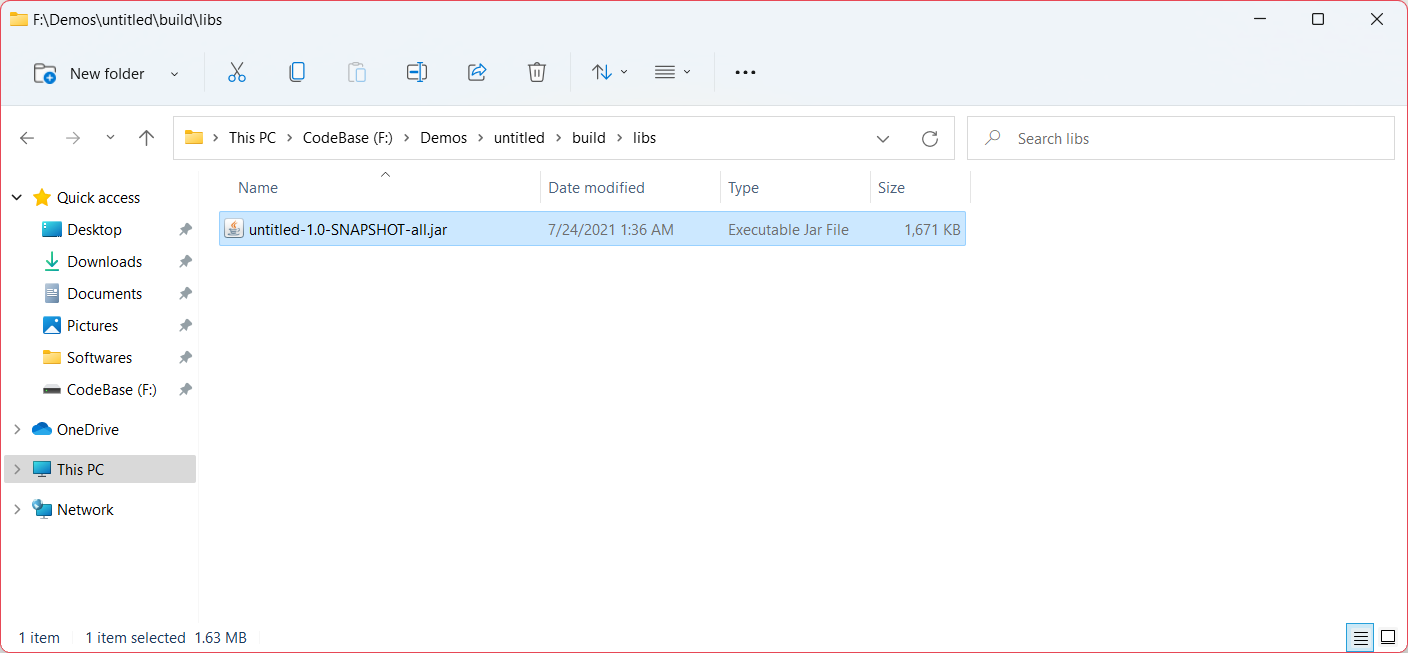 Now you can execute this artifact via java runtime:
java -jar F:\Demos\untitled\build\libs\untitled-1.0-SNAPSHOT-all.jar <arguments, splitting with spaces>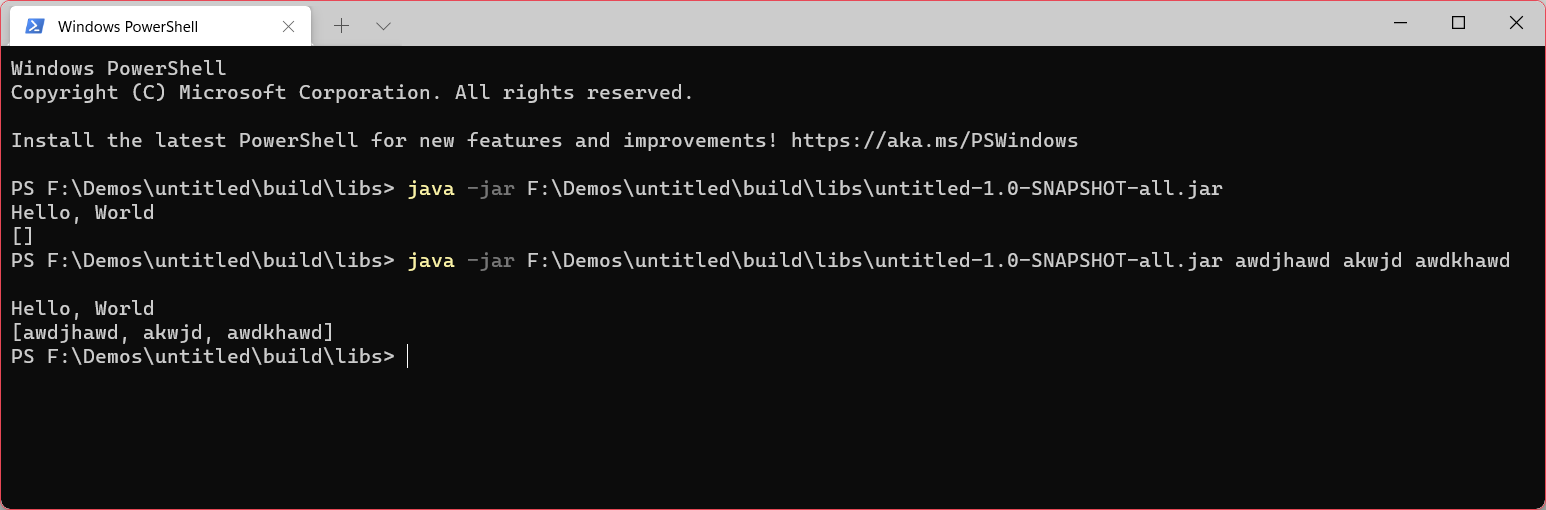
Have fun, and enjoy!